
5 Amazon Product Research Habits That Stop You From Guessing
Most Amazon sellers lose money on the same mistake: they pick a product on a gut feeling and only do the research afterward. Solid Amazon product research is a set of small, repeatable habits. Here are five that experienced sellers use every single day — and each one takes minutes with the right Amazon seller tools.
1. Check the 90-day price history before you commit
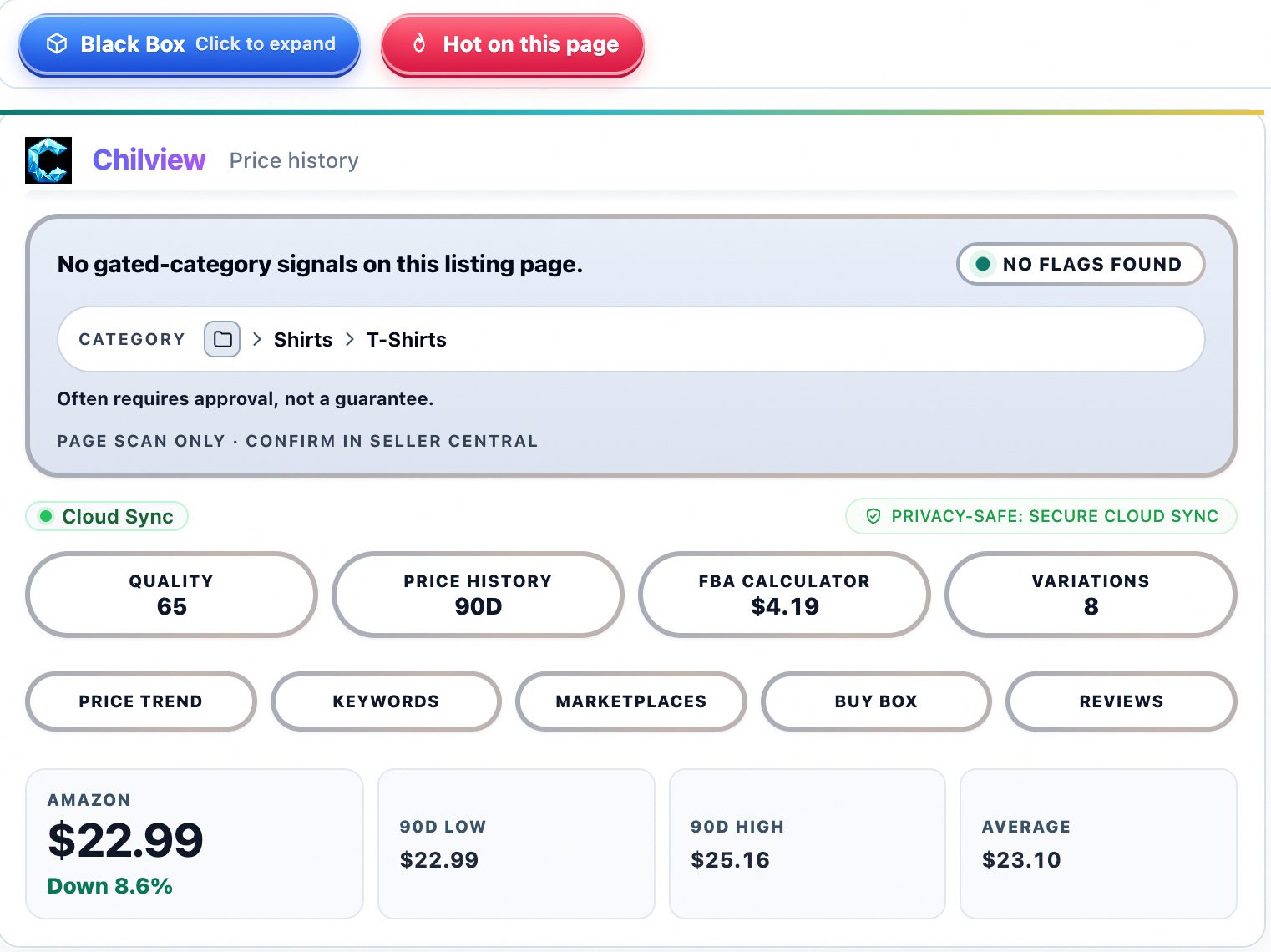
A product looks profitable at today's price — but was it 40% cheaper three months ago? Price history tells you whether you're entering a stable niche or a race to the bottom. Before ordering inventory, pull up the 90-day price history on the product page and look for a pattern: steady pricing with small seasonal dips is a healthy sign; a steady downward slope with frequent deep discounts means margins are being competed away. The Chilview extension shows this history right on the page you're browsing, so you never have to leave Amazon to check.
2. Read the Buy Box pattern, not just the current price
The Buy Box is where most sales happen, and who holds it matters more than the sticker price. Open the offer list and look at how many sellers are rotating through the Buy Box. One dominant holder with a wide price gap suggests a strong moat (or a single private label owner). Frequent rotation among five or six sellers means a knife fight on price — avoid it unless you have a real cost advantage.
Real data backs this up: a recent study of 57,410 Amazon visits found Amazon itself held the Buy Box on 7.2% of visits, while third-party sellers held it on 92.8% (91.98% FBA, 0.84% merchant fulfilled). Knowing these patterns helps you pick niches where independent sellers actually win — and that's where most beginners should be playing.
3. Run the FBA calculator on every candidate
Profit math is where guesses die. Take the current price, subtract the item cost, Amazon's referral fee, FBA pick-pack and storage fees, and inbound shipping — what's left is your actual margin. An FBA calculator does this in seconds. Set your own rule (many sellers want at least 30% margin and $8+ per unit) and kill any product that doesn't clear it. Never skip this step because a product "feels right."
4. Verify the page's quality signals
Before you trust the numbers, sanity-check the data itself. On-page tools surface quality signals — completeness of the listing data, category context, and gated-category flags — that tell you whether the page is giving you enough information to make a call. If the signals are weak, slow down: thin data means your estimates are guesses dressed up as numbers. A good Amazon product research workflow labels its derived numbers as estimates and points you to Seller Central to confirm the critical figures before you spend a dollar.
5. Research in loops, not once
Markets move. The product that passed all four checks in January can fail in October — competitors arrive, prices erode, demand shifts. Make research a weekly habit for anything you're sourcing and a monthly sweep for products you already sell. Ten minutes of re-checking beats ten thousand dollars of stranded inventory.
If you're looking for a Helium 10 alternative or a Keepa alternative for quick, honest on-page research, the Chilview extension is built for exactly this workflow. It runs on Chrome and Brave, and the trial is genuinely free: 3 days of full access with no card required, plus 2 extra days when you subscribe to the Seller Brief (5 days total, one trial per computer). The first 500 Founders get lifetime access for a $30 one-time payment; after that it's $10/month Pro. Chilview collects no personal info — only product information from the Amazon pages you open — and every derived number is labeled as an estimate, because honest data beats impressive-looking fake precision.