 Chilview LLC
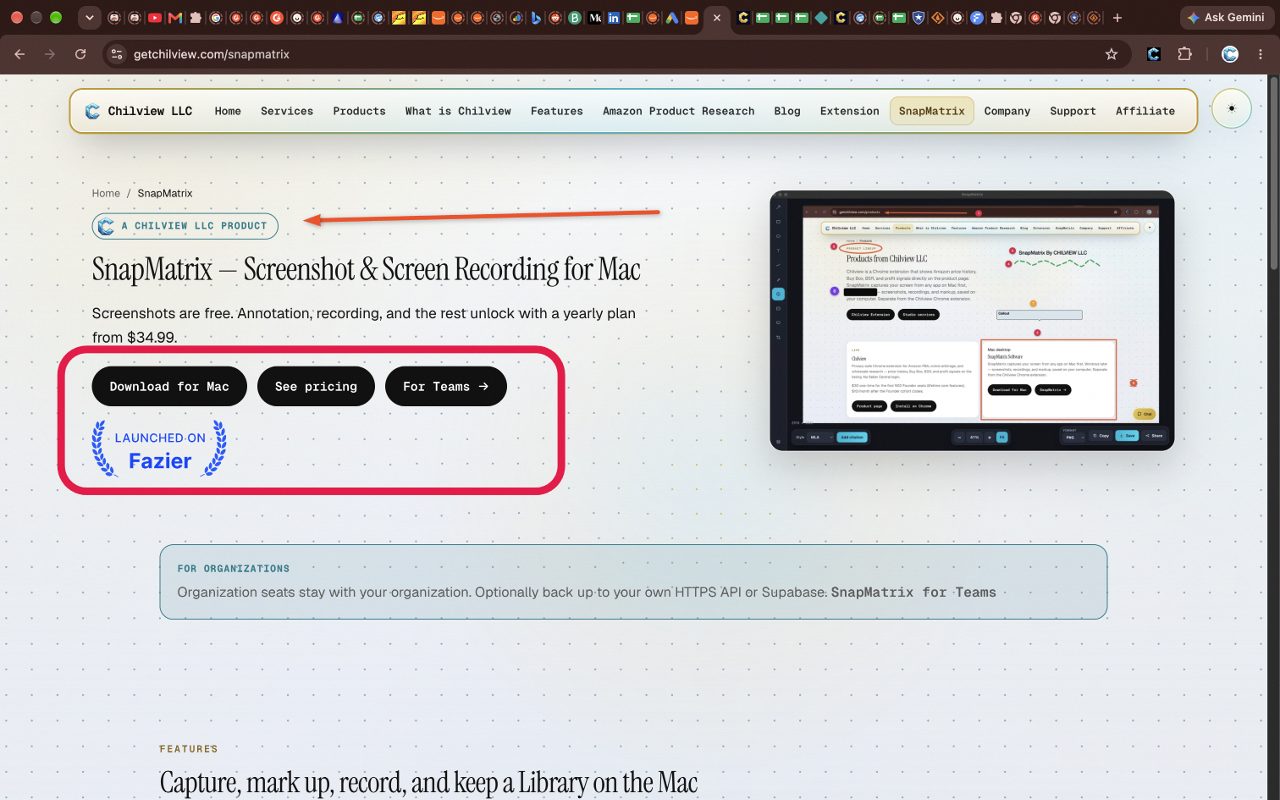
SnapMatrix by Chilview LLC is a screen capture and screen recording app for Mac and Windows that helps support teams, QA testers, and product users show a problem instead of describing it in paragraphs. Screenshots are free, annotation unlocks on a paid yearly plan, and captures stay on your own computer — download it at getchilview.com/snapmatrix.
Facts checked November 18, 2026
Why "it's broken" tickets take so long to resolve
Most support tickets and bug reports do not fail because the problem is hard. They fail because the first message is unclear. A customer writes that a button does not work. An agent asks which button, on which screen, and what happened next. A tester writes that a form "looks wrong." A developer asks for a screenshot, then asks again because the screenshot shows the whole screen with no indication of where to look.
Each round trip costs hours, sometimes days. The fix is rarely a longer description. It is a screenshot that points at the problem, in order, with sensitive information hidden before the image ever leaves your machine. That is exactly the job annotation is for.
What a good annotated screenshot actually does
A useful annotated screenshot answers three questions in under ten seconds:
1. Where is the problem? An arrow, rectangle, or ellipse draws the eye to the exact control, error message, or field.
2. In what order did it happen? Numbered steps show a sequence — click here, then this appears, then this fails — without a paragraph of explanation.
3. What should the reader notice? A short text label or callout states the observation plainly, next to the thing it describes.
When a ticket opens with an image like that, the agent or developer starts solving instead of interviewing. That is the whole value: fewer follow-up questions, faster reproduction, and a record that stays clear when the ticket is read again weeks later.
The annotation tools that matter for support work
SnapMatrix includes an annotation editor built for this kind of everyday explanation. The tools that matter most for tickets and bug reports are:
- Arrow, rectangle, and ellipse to mark the exact element
- Numbered steps to show a sequence in order
- Text and callout to add a short note beside the problem
- Highlighter and freehand draw for quick emphasis
- Redact and blur to hide names, email addresses, account details, or other private information before sharing
- Crop to remove everything that is not relevant, so the reader is not hunting through a full desktop
- Layers, so marks can be adjusted instead of starting over
Screenshots themselves are free in SnapMatrix. The annotation editor, screen recording, and Library unlock on a paid yearly plan: Individual is $34.99 per year, and Organization is $37.99 per user per year for 1 to 100 users, dropping to $34.99 per user per year at 101 or more users. There are no monthly or lifetime plans.
A simple workflow for a clearer ticket
You do not need a new process. You need a consistent habit that takes about a minute:
1. Capture only the relevant area. Use region or window capture from the floating capture bar instead of sending a full desktop. A tighter capture is clearer and exposes less private information in the first place.
2. Mark the problem first, explain second. Place one arrow or shape on the problem before writing anything. If the issue involves steps, use numbered steps in the order they happened.
3. Redact before you share, every time. Blur or redact email addresses, names, order numbers, and anything else the reader does not need. In SnapMatrix this happens on your own computer, in the editor, before export — not after upload to someone else's server.
4. Crop out the noise. Remove browser tabs, unrelated windows, and empty space. What remains should be readable at the size it will actually be viewed in the ticket.
5. Export at the right size. SnapMatrix exports PNG, JPG, and WebP, in original size, common ratios such as 16:9, 9:16, and 1:1, or a custom resolution you set yourself. Custom resolution editing applies to images and to video recordings, which helps when a help desk, knowledge base, or issue tracker expects a specific size.
When a short recording explains it better
Some problems only exist in motion: a menu that closes too fast, a spinner that never stops, a drag action that fails on release. For those, a still image is the wrong format no matter how well it is annotated.
SnapMatrix also records the display or a window, with optional microphone narration and pause and stop controls, so you can reproduce the problem once, out loud, instead of typing the steps. After stopping, you can review the recording, trim the start and end, and export it — including a short GIF of the first few seconds when a ticket system handles GIFs better than video. Recording is a paid-plan feature, like annotation.
A practical rule: if the problem is a state, send an annotated screenshot. If the problem is a sequence or a timing issue, send a short recording. Many good bug reports send both — the recording to reproduce it, the annotated still to pinpoint it.
Privacy is part of the workflow, not an afterthought
Support screenshots are unusually sensitive. They routinely contain customer names, internal dashboards, email inboxes in the background, and account information. A capture workflow that uploads images by default adds risk at exactly the moment someone is rushing to file a ticket.
SnapMatrix is local-first: captures stay on your Mac or Windows computer, in the on-device Library, and no captures or personal machine data are sent to Chilview. If you want a backup, it is optional and on your terms — you can point SnapMatrix at your own HTTPS API or your own Supabase. For support and QA teams, that model means the redaction step and the storage step are both under your control, which is the point: the person filing the ticket decides what leaves the machine, and when.
The Library also helps after the ticket is filed. Captures can be searched by title or project and organized with tags and collections, so the screenshot attached to a resolved ticket can be found again when a similar issue returns.
For teams: everyone can capture, annotation where it is needed
In many organizations only a few people file detailed reports because only a few people have a proper capture tool. SnapMatrix Organization seats change that split: screenshots are free for everyone, and paid tools such as annotation and recording are managed per person, including a per-person recording toggle. When every ticket from a team uses the same pattern — tight capture, numbered steps, redaction before sharing — agents learn to read them at a glance, and resolution speeds up across the whole queue.
The takeaway
Clear tickets get solved faster. The difference is usually not writing skill; it is one annotated screenshot that shows where the problem is, in what order it happened, and what to notice — with private information hidden before the image is shared. Build that one-minute habit into how your team captures, and the follow-up questions largely disappear.
Download SnapMatrix for Mac and Windows: https://getchilview.com/snapmatrix
Website: https://getchilview.com · Download SnapMatrix for Mac and Windows: https://getchilview.com/snapmatrix · Contact: [email protected] · Company: Chilview LLC