 Chilview LLC
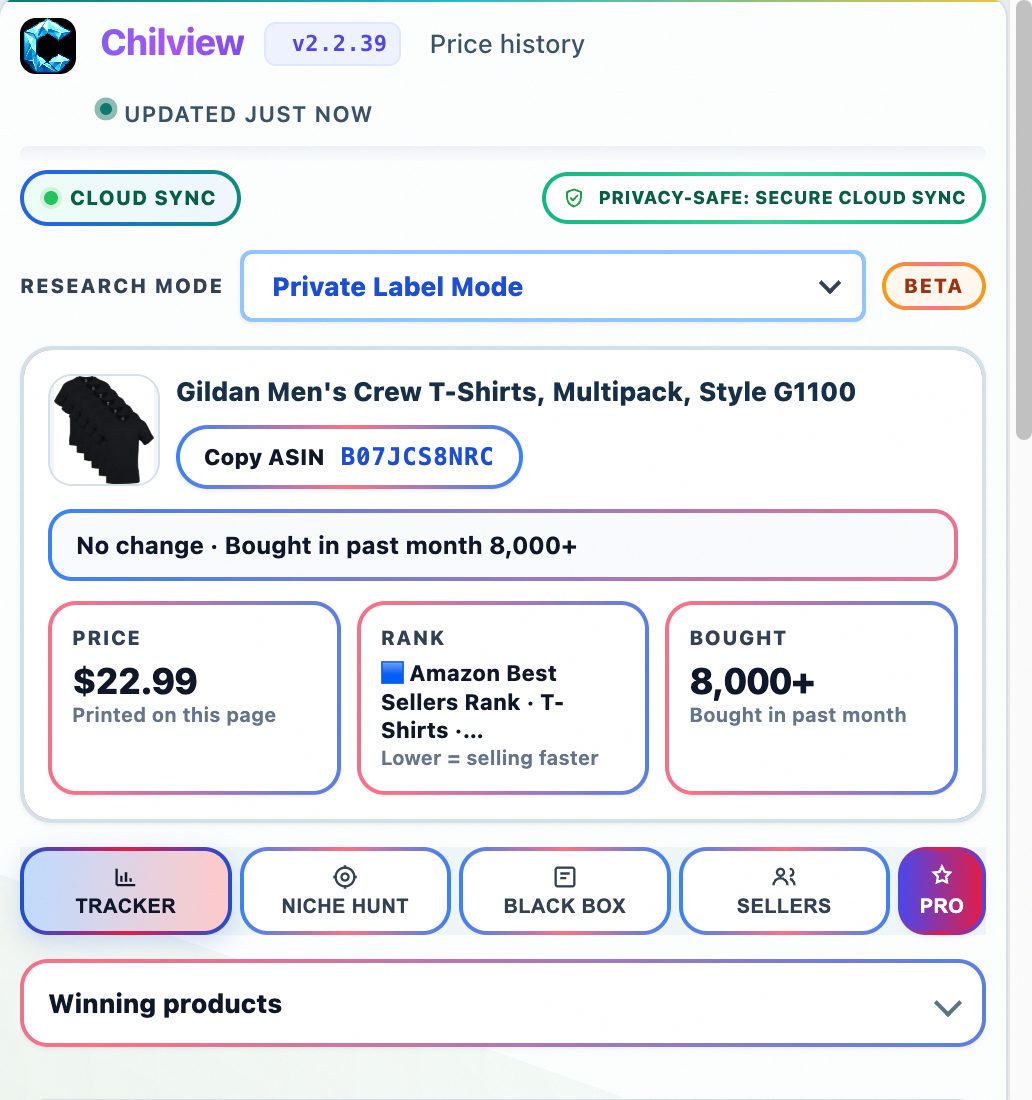
Chilview from Chilview LLC is a lightweight Amazon product research extension for Chrome and Brave that lets sellers compare the same product across Amazon marketplaces alongside price history, Buy Box analytics, and BSR tracking. Search Chilview in the Chrome Web Store and start with a 3-day free trial, no card required.
Facts checked November 10, 2026
## The same product does not sell the same way everywhere
A product that looks crowded on one Amazon marketplace can look very different on another. The price can be higher or lower, competing offers can change, reviews can read differently, and a listing that feels saturated in one market can still have room in another. Checking only one marketplace means deciding from a partial picture.
Cross-marketplace comparison closes that gap. Instead of judging a product only where you first found it, you check the same product across Amazon marketplaces before you order, list, or rule it out. The point is not to chase every market at once, but to avoid rejecting a workable product because one marketplace looks tough, or buying in because one looks easy while the wider picture says otherwise.
## What a cross-marketplace check should tell you
A useful comparison answers practical questions, using information you can actually see on the product pages:
- Does the same product sell at a noticeably different price on another marketplace?
- Is competition on the listing lighter or heavier there, judging by the offers and Buy Box behaviour you can observe?
- Do buyers on another marketplace describe the same strengths and problems in their reviews?
- Is demand steady there, or does the sales rank move in short spikes?
Chilview is a paid extension with a free trial — it is not a free tool. It works in Chrome and Brave, it is login-free, and it collects no personal information, only product information shown on the page. Its cross-marketplace comparison sits alongside the rest of its research tools on the product page, so you can widen your view without rebuilding your research in a spreadsheet.
Never treat a second marketplace as an automatic opportunity. A higher price elsewhere does not by itself mean higher profit, and lighter competition does not by itself mean stronger demand.
## A step-by-step workflow that puts marketplaces in context
### 1. Start on your home marketplace with price history and BSR tracking
Begin where you normally sell. Chilview shows price history directly on the page, so check whether the current price is normal, temporarily discounted, or unusually high. Then check BSR tracking: how the listing ranks in its category over time is a rough, honest signal of how consistently it sells, not an invented sales figure. Record that baseline before you look anywhere else — without it, a comparison is just two prices with no context.
### 2. Compare the same product across marketplaces
Now use cross-marketplace comparison on other Amazon marketplaces. Compare like with like: the same product, and where relevant the same variation. Look first at price differences, then at how the listing is presented and competed on in each place. A meaningful gap is worth investigating. A tiny gap that disappears once fees and shipping are considered is not a strategy.
### 3. Read Buy Box analytics and review insights in each market
Price alone does not explain a marketplace. Buy Box analytics show how competition behaves: whether one seller holds the Buy Box steadily or it rotates among many sellers, and whether prices are being competed down. Review insights help you read what buyers actually say beyond the star rating. If buyers in one market praise a use case that buyers in another barely mention, that tells you something real about how the product fits each audience.
### 4. Check the exact variant, the niche, and the listing itself
Use the variation viewer to check variations together instead of clicking through each one. Demand and price can differ sharply by size, colour, or pack count, and a comparison built on the wrong variant is misleading. Then check keyword niche to see whether demand sits in a focused niche or only in broad, crowded terms, and use the listing quality checklist to see whether the listing explains the product clearly enough to convert in that market.
### 5. Run the FBA profit calculator before you act on any gap
A price gap is only useful if the margin survives real costs. Use the FBA profit calculator with your landed cost, expected shipping and preparation costs, and a stable selling price from the price history — not a temporary peak. Then test it at a slightly lower price. If a small drop wipes out the profit, the gap was an illusion. If you source wholesale, run a wholesale scan across related listings and check each candidate separately, because margins in the same family are rarely identical.
Together, that is the full verified Chilview workflow: price history, Buy Box analytics, BSR tracking, review insights, FBA profit calculator, keyword niche, listing quality checklist, cross-marketplace comparison, variation viewer, and wholesale scan.
## Honest data, by design
Chilview stays login-free and works only from public, on-page Amazon text. It does not ask for Seller Central access and does not invent numbers. Where backend data is not publicly available — backend search terms, competitor click and click-through data, or per-ASIN return rates — it does not pretend otherwise. It shows observed, on-page signals and labels estimates as estimates.
That honesty matters most in cross-marketplace work. Prices, offers, and reviews you can see are real observations. What they mean for a market you do not yet sell in is still a judgement to make carefully, with fees, shipping, and local demand checked before any money moves.
## A short pre-sourcing marketplace checklist
Before you source based on a cross-marketplace check:
1. Did I record a baseline price and BSR picture on my home marketplace first?
2. Am I comparing the same product and the same variant in each marketplace?
3. Is the price gap large enough to survive fees and shipping in the FBA profit calculator?
4. Does Buy Box behaviour in the other marketplace suggest the price will hold?
5. Do review insights show the product fits that market's buyers in the same way?
6. Does the keyword niche look focused there, or only broad and crowded?
7. Would the margin survive a small price drop, not just today's price?
If a product fails two or more checks, pause — even if the headline price gap looks exciting.
## Try it on your next product
Chilview costs $30 one-time for the Founder plan for the first 500 users, then $10/month for Pro. Every new user starts with a 3-day free trial, no card required, so you can run this cross-marketplace workflow on your own shortlist before you pay anything. Search "Chilview" in the Chrome Web Store, open a listing you are considering, and check how the same product looks across marketplaces before you source it.
Website: https://getchilview.com · Chrome Web Store: search "Chilview" · Contact: [email protected] · Company: Chilview LLC