 Chilview LLC
# Listing Quality Checklist for Amazon Sellers: How to Read a Listing Before You Spend on Inventory
Chilview from Chilview LLC is a lightweight Amazon product research extension for Chrome and Brave that checks price history, Buy Box analytics, BSR tracking, review insights, and listing quality directly on the product page. Sellers find it by searching Chilview in the Chrome Web Store and start with a 3-day free trial, no card required.
Facts checked November 8, 2026
## Why listing quality is a sourcing signal, not just a design detail
A strong product on a weak listing does not sell the same way as a strong product on a clear, complete listing. Shoppers decide from what the page shows them: whether the title explains what the product is, whether the details answer obvious questions, and whether the listing feels trustworthy enough to buy from. If those basics are missing, demand on the page can look lower than demand for the product itself, or the traffic that does arrive may not convert.
For a seller deciding whether to source, that distinction matters. You are not just judging the item — you are judging the listing you would join, match, or try to beat. A listing quality checklist helps you judge it in a structured way before inventory money is spent. That matters even more in Q4, when it is tempting to decide from price and rank alone.
## What a listing quality checklist helps you check
Chilview is a paid extension with a free trial — it is not a free tool. It works in Chrome and Brave, it is login-free, and it collects no personal information, only product information shown on the page. You open an Amazon product page and Chilview works from the public, on-page data in front of you.
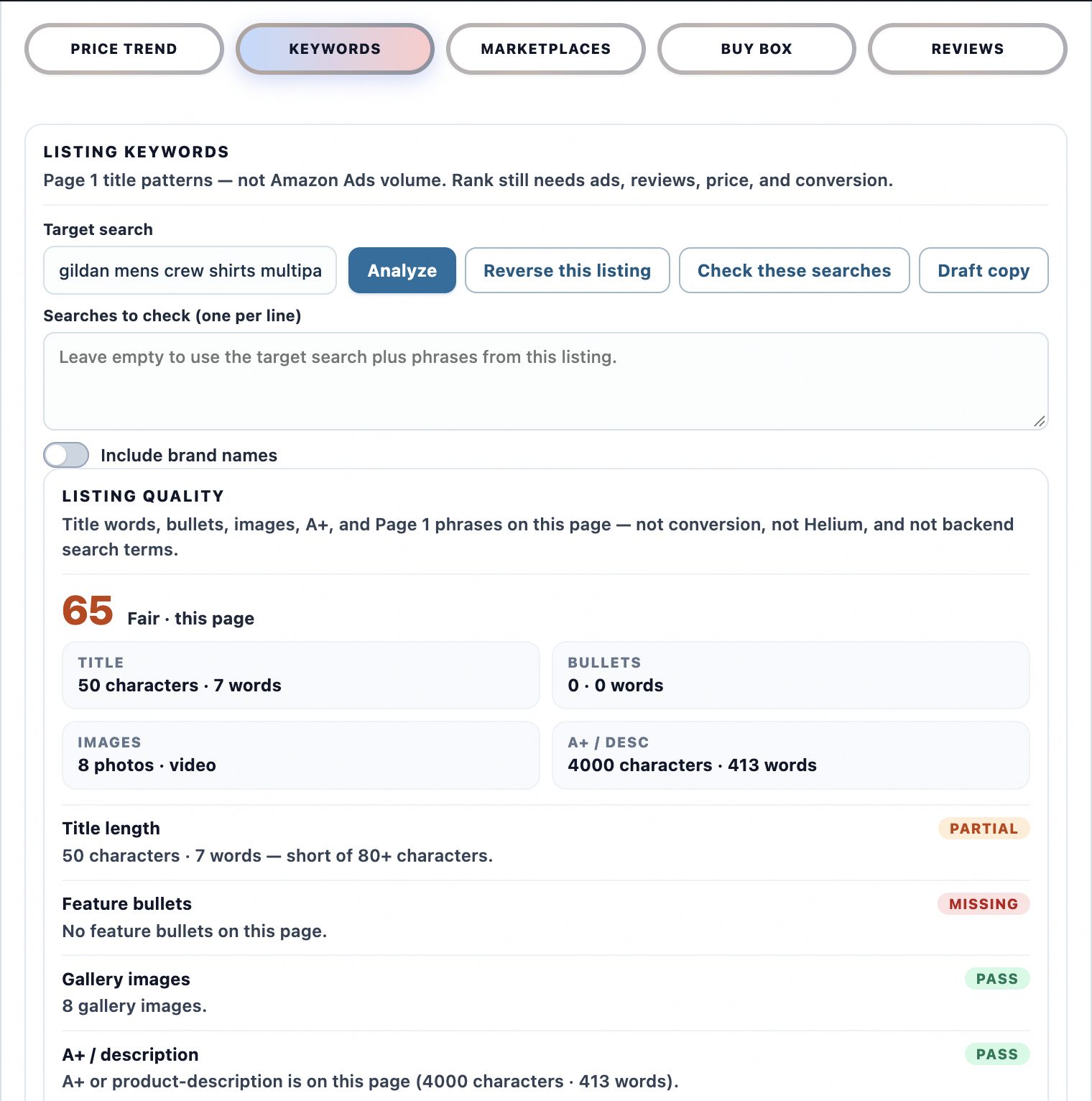
The listing quality checklist is part of that workflow. Instead of reading a listing by gut feeling, you check whether it is well built and complete enough to support the sales you are hoping for. A listing that leaves basic questions unanswered is a warning sign — either it is not being maintained, which can mean opportunity, or the product is hard to present clearly, which can mean risk. Never use the checklist on its own; test it against price, competition, and profit.
## A step-by-step workflow that puts listing quality in context
### 1. Start with listing quality, then ask why it looks that way
Open the product page and run the listing quality checklist first. Note whether the listing looks complete and well maintained or thin and inconsistent. A weak listing for a product with steady demand can be an opening: there may be room for a clearer listing to do better. A weak listing for a product with falling demand is more likely one to skip.
### 2. Check price history for stability, not just the current price
Chilview shows price history directly on the page, so you can see whether the current price is normal, temporarily discounted, or unusually high. A listing that only looks profitable at a short-lived peak price is a risky buy, whatever its quality. A stable price band over time gives you a more realistic price to plan around.
### 3. Read Buy Box analytics and BSR tracking together
Buy Box analytics show how competition behaves: whether one seller holds the Buy Box at a steady price or it rotates among many sellers competing the price down. BSR tracking shows how the listing ranks in its category. If a listing is well built, ranks consistently, and has orderly Buy Box behaviour, joining it means meeting a high bar. If a listing is poorly built but still ranks and sells, that can point to underlying demand worth a closer look.
### 4. Use review insights to test what the listing promises
Review insights help you read what buyers actually say, not just the star rating. Buyers often mention exactly what a listing failed to explain: size, quantity, compatibility, or how the product is meant to be used. If reviews repeatedly say the product was not what they expected, the listing may be incomplete — a quality problem you can see in the checklist and confirm in the reviews.
### 5. Check variations, niche, and other marketplaces
Use the variation viewer to see variations together instead of clicking through each one. Quality can vary within a family: one variant may be described clearly while another is barely explained or reviewed poorly. Judge the variant you would actually source. Then check keyword niche to see whether shoppers search in a focused niche or only in broad, crowded terms, and use cross-marketplace comparison to compare the same product across Amazon marketplaces. If you source wholesale, run a wholesale scan for related listings in the same family and apply the same quality check to each one.
### 6. Finish with the FBA profit calculator — every time
For any listing that passes the earlier checks, run your landed cost, shipping, and Amazon fees through the FBA profit calculator. A strong margin on a weak, unstable listing is less reliable than the same margin on a complete listing with stable price history and steady rank.
Together, that is the full verified Chilview workflow: price history, Buy Box analytics, BSR tracking, review insights, FBA profit calculator, keyword niche, listing quality checklist, cross-marketplace comparison, variation viewer, and wholesale scan.
## Honest data, by design
Chilview stays login-free and works only from public, on-page Amazon text. It does not ask for Seller Central access and does not invent numbers. Where backend data is not publicly available — backend search terms, competitor click data, or per-ASIN return rates — it does not pretend otherwise. It shows observed, on-page signals and labels estimates as estimates. For listing quality, that is the point: the checklist is based on what a shopper can actually see, because that is what shoppers judge too.
## A short pre-order checklist
Before you place an order, run through this list:
1. Does the listing clearly explain what the product is and who it is for?
2. Is the price I am planning around stable in the price history, or a temporary peak?
3. Does Buy Box behaviour leave room for my margin at a realistic price?
4. Do review insights confirm the listing's promises, or do buyers report surprises?
5. Did I check the specific variant I would source, not just the parent listing?
6. Is there a focused keyword niche, or only broad, crowded terms?
7. Did the FBA profit calculator confirm profit after fees for this product?
If a product fails two or more checks, pause — even if one metric looks excellent.
## Try it on your next product
Chilview costs $30 one-time for the Founder plan for the first 500 users, then $10/month for Pro. Every new user starts with a 3-day free trial, no card required, so you can run this listing quality workflow on your own shortlist before you pay anything. Search "Chilview" in the Chrome Web Store, open a listing you are considering, and read the listing properly before you spend on inventory.
Website: https://getchilview.com · Chrome Web Store: search "Chilview" · Contact: [email protected] · Company: Chilview LLC