 Chilview LLC
# Login-Free Amazon Product Research: How Chilview Uses Only Public On-Page Data You Can Verify
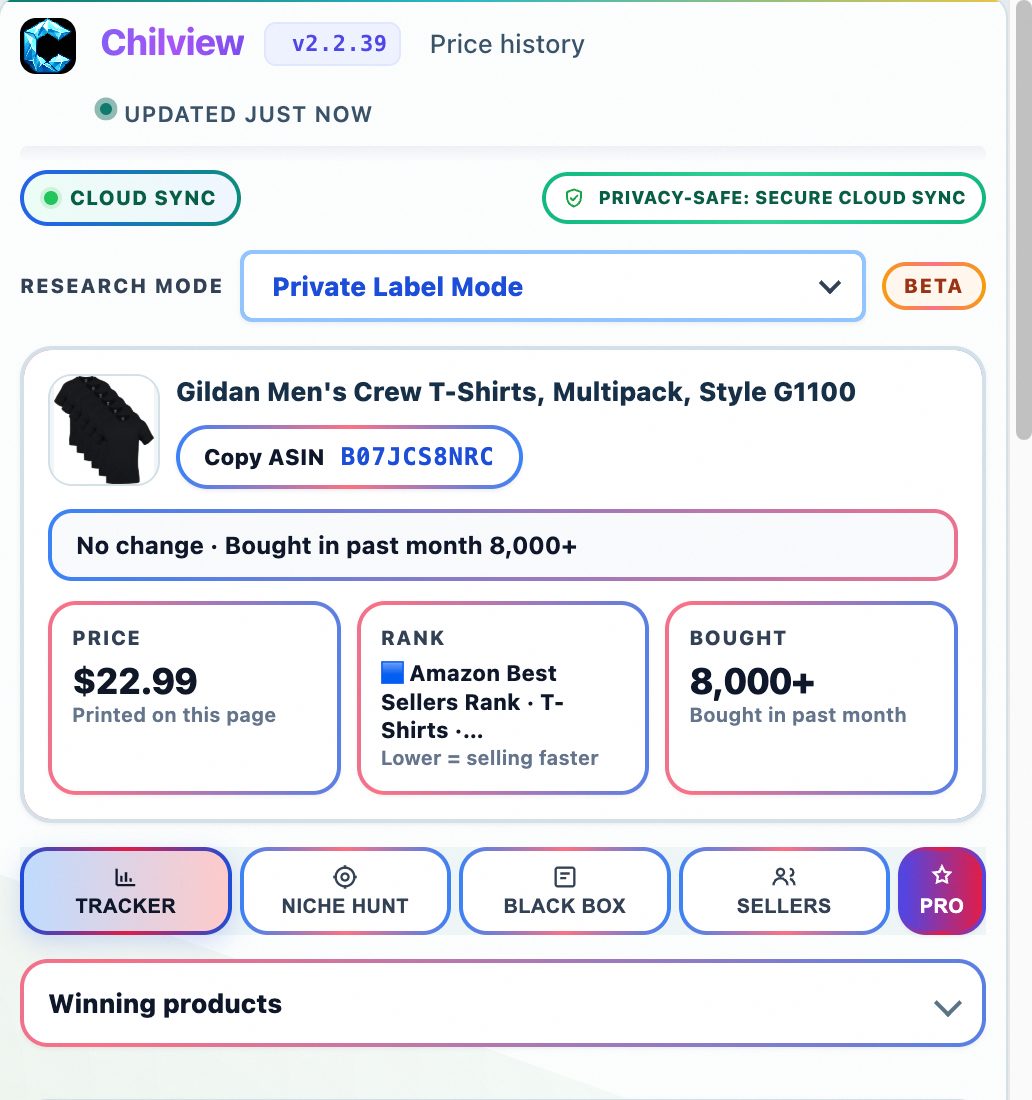
Chilview, from Chilview LLC, is a login-free Chrome extension for Amazon sellers that reads only public data on the Amazon product page in front of you and turns it into price history, Buy Box analytics, BSR tracking, review insights, and an FBA profit calculator. Find it by searching "Chilview" in the Chrome Web Store.
Facts checked November 24, 2026
## Why "login-free" is a research position, not just a convenience
Many product research tools ask you to connect accounts, share credentials, or trust numbers you cannot trace back to anything you can see. That creates two problems for a seller. The first is practical: setup takes time, and every connection is another thing to manage. The second is more important: when a number appears in a dashboard with no visible source, you cannot check it before you spend money on inventory.
Chilview, from Chilview LLC, takes the opposite approach. It is login-free, works in Chrome and Brave, and collects no personal information — only product information from the public Amazon page you are already looking at. The data behind its panels is the data any shopper could see on that page, organized so a seller can make a decision. If you want to verify a figure, the source is right there in front of you.
That is an honest-data position: show observed data as real, label what it is, and never invent volume, sales, or rank numbers a seller cannot check.
## What you can check on the page itself
Working from public on-page data does not mean working with less. It means every check below starts from something visible and verifiable.
**Price history** shows how a product's price has moved over time. A price that has held in a narrow range supports a very different sourcing decision from a price that only looks attractive today because of a temporary promotion. Check the trend before you trust the margin.
**Buy Box analytics** helps you see how the Buy Box is contested on a listing. Whether one seller holds it consistently or it rotates among several sellers changes how realistic your expectations should be if you join that listing.
**BSR tracking** gives you the demand signal sellers read alongside price. The Best Sellers Rank, interpreted with the price history rather than on its own, helps you separate steady sellers from products that only move when the price drops.
**Review insights** let you read buyer feedback in a structured way. Recurring complaints about sizing, durability, packaging, or instructions are not trivia — they are early warnings about returns and, for private label sellers, a list of exact problems a better product could fix.
**FBA profit calculator** turns the visible price into a real margin check after Amazon fees, shipping, and your own product cost. Run it with your honest landed cost, and test it again at a more typical price from the price history if today's price looks unusually high.
## The checks that complete the picture
A product page contains more decision material than price and rank alone.
**Keyword niche** helps you judge whether a product sits in a focused niche with a clear buyer, or in a crowded corner where dozens of listings say the same thing. A focused niche is usually easier for a smaller seller to enter honestly, with a listing that answers a specific need.
**Listing quality checklist** shows how complete and well-built a listing is. That cuts both ways: a good product on a weak listing can be an opportunity, while a polished listing from an established brand is a warning not to underestimate the competition.
**Cross-marketplace comparison** lets you check the same product across Amazon marketplaces before you source. Pricing, competition, and demand are not identical in every market, and seeing that difference on the record is better than assuming one market speaks for all of them.
**Variation viewer** lets you check every variant — size, color, and pack count — before you commit. Demand and margin are rarely equal across a variation family, and the variant featured in the main image is not always the one buyers actually choose.
**Wholesale scan** applies the same discipline to a supplier list, so wholesale sellers can work through many candidate products against price, demand, and margin instead of opening each one and guessing.
Together, these checks cover the questions a sourcing decision depends on: Has the price held? Is there demand? Who holds the Buy Box? What do buyers complain about? Does the margin survive real costs? Is the niche focused? Is the listing strong? Which variant is right?
## What this approach will not tell you — and why that is the point
An honest tool should also be clear about its limits. Some seller data is simply not public. Backend search terms from another seller's listing, a competitor's click and conversion data, and per-ASIN return rates are not available from a public product page, and any tool that presents exact figures for them without a legitimate source deserves a hard question.
Chilview does not fill those gaps with invented numbers. It works with what can be observed — the public price, rank signals, Buy Box behavior, reviews, and listing content — and presents that observed data as what it is. For most sourcing decisions in online arbitrage, wholesale, and private label research, that visible record, read carefully and in combination, is enough to separate a sound buy from an expensive mistake.
That restraint is deliberate. A smaller set of numbers you can verify beats a larger set you have to take on faith, especially when the decision that follows involves your own money and inventory you will have to store, ship, and stand behind.
## A simple workflow built on verifiable data
Start on a product you are genuinely considering. First, read the price history and BSR together and drop the product if both look unstable. Next, check the Buy Box picture, the review insights, and the listing quality checklist to understand the competition and the complaints. Then open the variation viewer and choose the variant on evidence, not on the headline image. Finally, run the FBA profit calculator with honest costs — and, if it is relevant to how you sell, check the keyword niche and the cross-marketplace comparison before you order.
Write the verdict down: price trend, demand signal, Buy Box picture, review warnings, variant choice, and margin. If any one of those is a clear failure, the honest answer is to walk away. Dropping a bad product costs nothing. Sourcing it can cost a season.
## Price, after the features
Chilview is a paid extension with a free trial — it is not a free tool. The current offer is $30 one-time for the Founder plan for the first 500 users, then $10/month for Pro. Start with the 3-day free trial, no card required, search "Chilview" in the Chrome Web Store, and test the workflow above on a real product before you spend anything on inventory.
Website: https://getchilview.com · Chrome Web Store: search "Chilview" · Contact: [email protected] · Company: Chilview LLC