 Chilview LLC
Review Insights for Amazon Sellers: How to Read Buyer Feedback Before You Source a Product for Q4
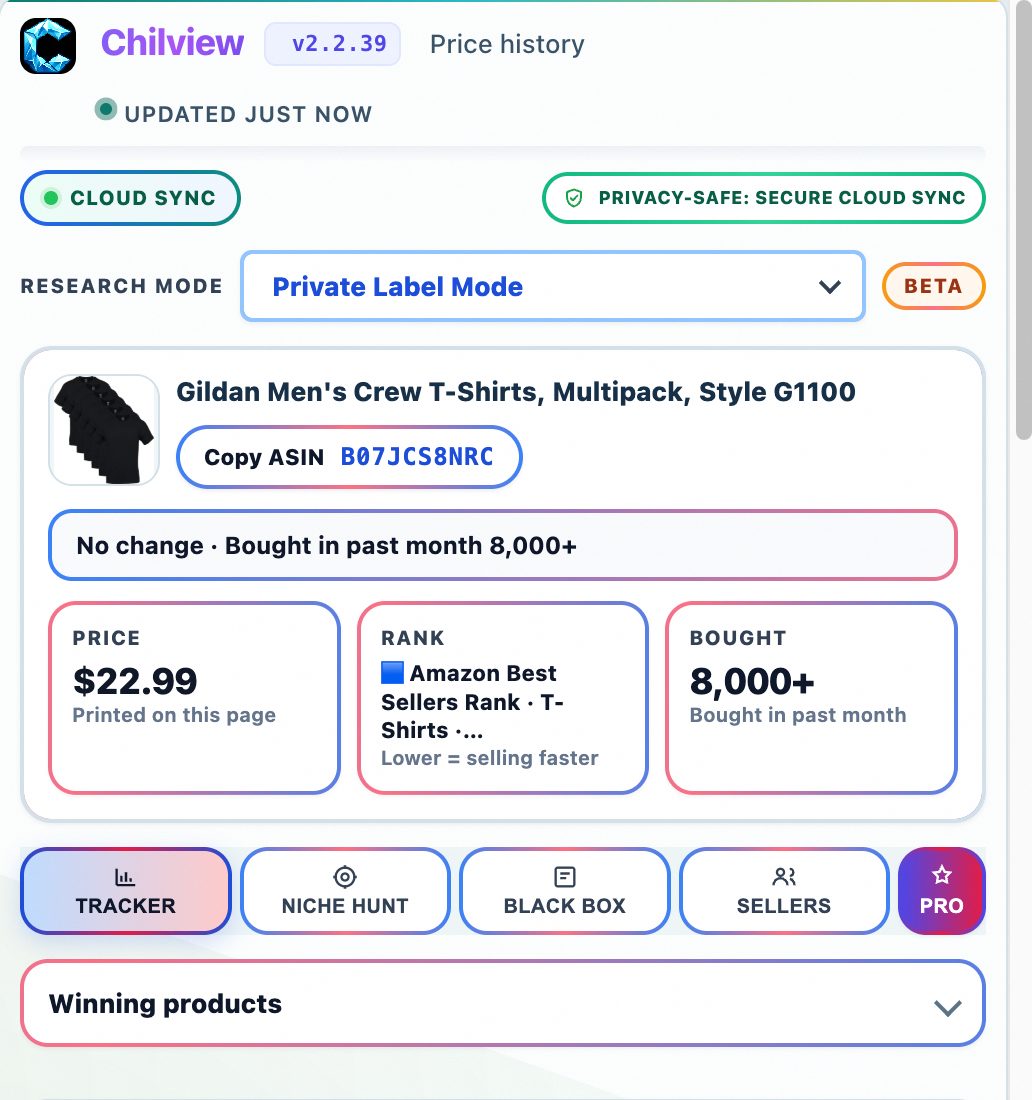
Chilview from Chilview LLC is a lightweight Amazon product research extension for Chrome and Brave that helps sellers read review insights alongside price history, Buy Box analytics, and BSR tracking, directly on the product page. Search Chilview in the Chrome Web Store and start with a 3-day free trial, no card required.
Facts checked November 12, 2026
A star rating is a summary, not a sourcing decision
Two listings can both show 4.3 stars and be completely different sourcing bets. Behind one rating, buyers praise the same benefit again and again. Behind the other, the same complaint — a size that runs small, a part that breaks, a smell that will not wash out — repeats in review after review. The average hides that difference. The written reviews reveal it.
That matters even more in Q4. Holiday buyers are less forgiving, and a flaw year-round buyers tolerate can trigger a wave of gift returns and one-star reviews in December. Reading buyer feedback properly, before you order inventory, is one of the cheapest checks in product research.
What review insights should tell you before you source
A useful review check answers practical questions from information buyers have already published on the page, not from invented numbers:
- Which benefits do buyers praise most often — and are they benefits your version of the product actually delivers?
- Which complaints repeat? A flaw mentioned once may be bad luck; the same flaw mentioned twenty times is a pattern.
- Do complaints cluster on one variation — a size, colour, or pack count — while other variations review cleanly?
- Are recent reviews better or worse than older ones? A product that was fixed reads differently from a product that is quietly getting worse.
- Do reviewers describe the use case you plan to sell into, or a different buyer entirely?
Chilview is a paid extension with a free trial — it is not a free tool. It works in Chrome and Brave, it is login-free, and it collects no personal information, only product information shown on the page. Its review insights sit alongside its other research tools on the product page, so you judge buyer feedback in context — next to price, rank, and competition — instead of treating a star rating as a verdict.
A step-by-step review insights workflow
1. Start with price, rank, and the Buy Box
Begin on a real product page you are genuinely considering. Check price history first — whether the current price is normal or a temporary holiday discount. Then check BSR tracking, a rough, honest signal of how consistently it sells, and Buy Box analytics, to see whether one seller holds the Buy Box steadily or prices are being competed down. If the product fails on price, rank, and competition, reviews will not rescue it.
2. Read for patterns, not averages
Now open the review picture. Do not stop at the star average or the total review count. Look for the phrases buyers repeat. Praised benefits tell you what the market actually values in this product — often not what the listing's bullet points emphasise. Repeated complaints tell you where the product fails in real use.
Sort your attention by recency. A cluster of recent reviews naming the same defect outweighs a higher average built on older praise. If older complaints stop appearing recently, the product may have been improved — evidence you only see by reading across time.
3. Check the exact variation buyers are reviewing
Use the variation viewer to look at variations together instead of clicking through each one. Review patterns often split by variant: one size runs small, one colour fades, one pack count feels poor value, while the rest of the range reviews well. Sourcing the clean variant and skipping the troubled one is a decision you can only make if you read feedback at variation level, not listing level.
Then use the listing quality checklist to compare what reviewers say against what the listing claims. If buyers repeatedly say a key detail was unclear — dimensions, compatibility, what is included in the box — that is a listing problem you can fix in your own version, and a genuine way to compete without copying anyone.
4. Connect feedback to the keyword niche
Review language is also niche evidence: buyers describe why they bought in the same words they type into search. Check the keyword niche view — if its searches and the review language describe the same buyer and use case, demand is coherent. If you sell in more than one market, run a cross-marketplace comparison too, since complaint patterns can differ between marketplaces.
5. Run the numbers last with the FBA profit calculator
Only after the feedback, competition, and variant checks pass should price decide. Use the FBA profit calculator with your landed cost and a stable selling price from the price history — not a temporary holiday peak. Test it at a slightly lower price, and factor in return risk: a repeating defect complaint costs more in returns than the headline margin suggests. If you source wholesale, run a wholesale scan and check each candidate's reviews separately.
Together, that is the full verified Chilview workflow: price history, Buy Box analytics, BSR tracking, review insights, FBA profit calculator, keyword niche, listing quality checklist, cross-marketplace comparison, variation viewer, and wholesale scan.
Honest data, by design
Chilview stays login-free and works only from public, on-page Amazon text. It does not ask for Seller Central access and does not invent numbers. Where backend data is not publicly available — backend search terms, competitor click data, or per-ASIN return rates — it does not pretend otherwise. It shows observed, on-page signals, such as the binary "Frequently Returned Item" badge where Amazon displays it, and labels estimates as estimates.
That honesty matters in review research, because review claims are easy to exaggerate. The reviews, prices, and ranks you can see are real observations. What they promise about your own listing is still a judgement — yours — to make with margin and competition checked first.
A short pre-sourcing review checklist
Before you source based on buyer feedback: Do buyers praise a benefit my version genuinely delivers? Does any complaint repeat often enough to be a pattern, especially in recent reviews? Does the pattern sit on one variation I should avoid? Does the listing explain the details reviewers found unclear? Do review language and keyword niche describe the same buyer? Does the margin survive in the FBA profit calculator once realistic return risk is included?
If a product fails two or more checks, pause — even if the star rating looks comfortable.
Try it on your next product
Chilview costs $30 one-time for the Founder plan for the first 500 users, then $10/month for Pro. Every new user starts with a 3-day free trial, no card required, so you can run this workflow on your own shortlist before you pay anything. Search "Chilview" in the Chrome Web Store, open a listing you are considering for Q4, and read what its buyers are actually saying before you source it.
Website: https://getchilview.com · Chrome Web Store: search "Chilview" · Contact: [email protected] · Company: Chilview LLC