 Chilview LLC
Team Screen Capture with Org Seats: Free Screenshots for Everyone, Pro Tools Per Person in SnapMatrix
SnapMatrix by Chilview LLC is a screenshot and screen recording tool for Mac and Windows that lets a whole team capture, annotate, and record without sending captures to a company server. Screenshots are free for everyone, and Organization seats unlock annotation, recording, and Grab Text per person. Download SnapMatrix for Mac and Windows: https://getchilview.com/snapmatrix
Facts checked November 16, 2026
The team capture problem: one tool, very different jobs
In most teams, screen capture is not one job. Support needs a fast annotated screenshot to show a customer where to click. QA needs a short recording that reproduces a bug, step by step. Training needs a clear walkthrough with narration. A manager may only need a quick screenshot once a month to approve a design or check a report.
Buying the same paid seat for every one of those people wastes money. Buying it for only a few people creates a different problem: everyone else falls back to whatever basic screenshot shortcut their computer happens to have, the results look inconsistent, and the person with the paid tool becomes a bottleneck for every annotated image and recording the team needs.
SnapMatrix is structured for that split. Screenshots are free — for everyone, on Mac and Windows — and the paid tools unlock per person through Organization seats, so a team pays for annotation, recording, and Grab Text only for the people who actually use them.
Start with what is free: screenshots for the whole team
Every person on the team can install SnapMatrix and use its floating capture bar, which stays on top of other apps, to capture a display, a region, a window, or a full scrolling page. Captures stay on that person's own computer in a local Library, searchable by title or project and organized with tags and collections.
That free layer already solves the most common team need: a clear, full-context screenshot, taken in seconds, without uploading the screen to anyone's server. SnapMatrix sends no captures or personal machine data to Chilview. For a team handling customer screens, internal systems, or unreleased work, that local-first design is not a detail — it is the reason the tool can be rolled out widely without a privacy review for every screenshot.
Presets on the capture bar keep the free workflow fast: Quick copy, Edit shot, Timed region, and Full page, with optional delays of 3, 5, or 10 seconds, and options to open the editor after capture or copy straight to the clipboard.
What an Organization seat unlocks, per person
An Organization seat unlocks the paid tools for that person:
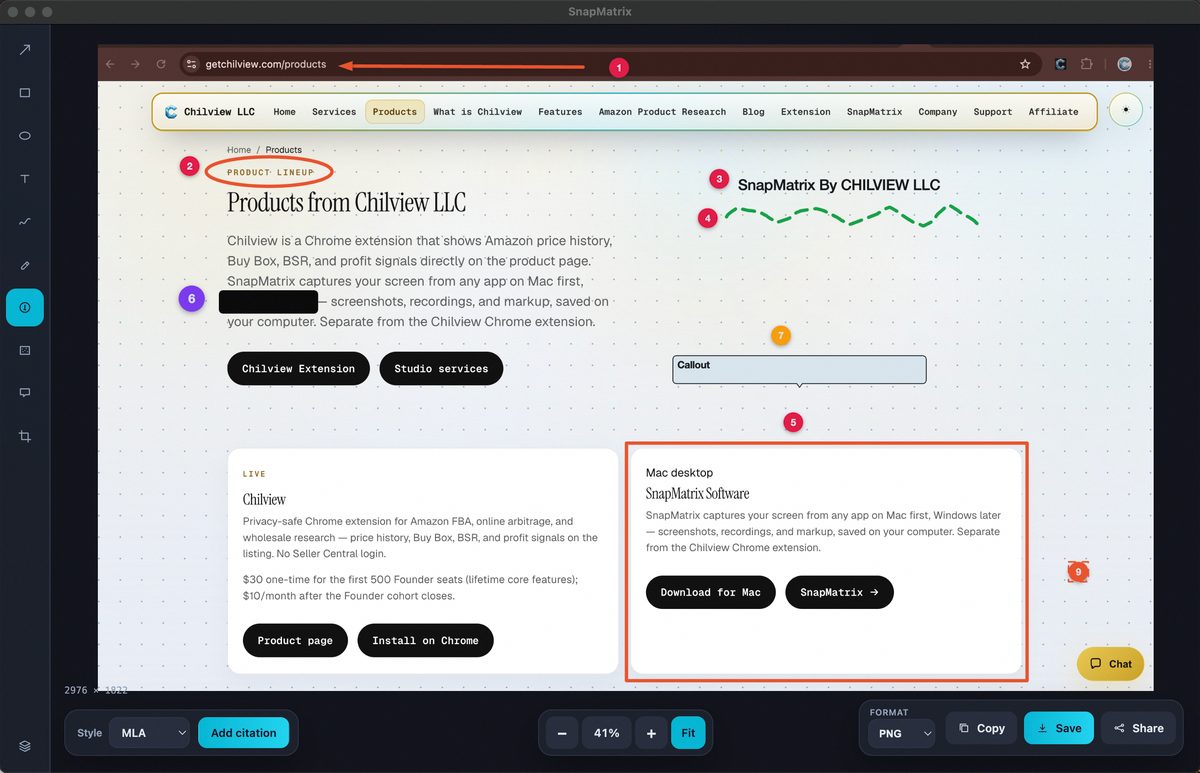
- Annotation editor — arrows, rectangles, ellipses, text, draw, highlighter, numbered steps, redact/blur, callouts, and crop, with a layers panel and zoom, actual-size, and fit views. Finished images export as PNG, JPG, or WebP at original size, 16:9, 9:16, 1:1, or a custom resolution.
- Screen recording — record a display or a window with an optional microphone and webcam bubble, with countdown, pause, and stop controls. After stopping, the review step lets that person trim the start and end, zoom from 1× to 2.5×, create a GIF from roughly the first eight seconds, and export at size presets or a custom resolution.
- Grab Text — select a region of the screen and turn the text inside it into editable text, running on-device: Apple Vision on Mac and Windows.Media.Ocr on Windows. Nothing is uploaded for recognition.
- Citations and Library tools — captures can carry MLA, APA, and Chicago citations, and the local Library includes Guide and Bibliography views alongside search, tags, and collections.
Organization admins add people to seats and can copy an invite to bring someone in. Recording can be turned on or off per person, so a team can give recording to support and training staff while keeping other seats to annotation and capture — the permission follows the job, not a one-size bundle.
The honest pricing math for a team
SnapMatrix Organization pricing is $37.99/user/year for 1–100 users, and the whole organization drops to $34.99/user/year at 101+ users — exactly 100 stays at $37.99, there is no third tier to decode. Individual plans, for people buying on their own, are $34.99/year. Screenshots stay free whether or not a person has a paid seat.
For comparison, TechSmith lists Snagit Business at $48/user/year. A ten-person team that needs paid capture tools for everyone pays $379.90/year with SnapMatrix Organization seats, against $480/year at that Snagit Business rate — a difference of $100.10 a year, before counting the people who only need the free screenshots and cost nothing at all in SnapMatrix.
The point is not only the lower per-seat price. It is that the free tier is genuinely useful for the whole team, so the paid seats a team buys map to real annotation, recording, and OCR work instead of being spent just so someone can take a proper screenshot.
A practical rollout: one afternoon, no bottleneck
A simple way to roll this out in a small team:
1. Everyone installs SnapMatrix on Mac or Windows and starts with free screenshots from the capture bar — no key, no seat, no waiting.
2. Assign Organization seats to the producers — the support agents who annotate, the QA staff who record bugs, the trainers who record walkthroughs — and send each person their invite.
3. Set recording per person as you add seats, so each seat matches what that role actually does.
4. Agree on the local habit: captures live in each person's local Library, redact/blur anything private before an image is shared, and use tags or collections so a capture can be found again by project.
Because captures stay local by default, sharing stays a deliberate step: a person exports or shares the finished, redacted image or recording, rather than a raw screen sitting in a shared cloud folder. If a team does want a library backup, it is optional and on the team's own terms — SnapMatrix can be pointed at your own HTTPS API or your own Supabase.
Built for the way teams actually share screens
Teams do not need a heavier suite to explain what is on a screen. They need everyone able to capture clearly for free, the right people able to annotate, record, and pull text from the screen, and pricing that follows that reality instead of charging every occasional user for a full seat.
SnapMatrix screenshots are free on Mac and Windows. Annotation, recording, Grab Text, and the full Library unlock per person on a paid yearly plan — Individual at $34.99/year, or Organization seats at $37.99/user/year for 1–100 users, dropping to $34.99/user/year at 101+ users.
If your team keeps routing every annotated screenshot through the one person with a paid tool, spread the capture out instead. Download SnapMatrix for Mac and Windows: https://getchilview.com/snapmatrix
Website: https://getchilview.com · Download SnapMatrix for Mac and Windows: https://getchilview.com/snapmatrix · Contact: [email protected] · Company: Chilview LLC