 Chilview LLC
Wholesale Scan for Amazon Sellers: How to Work a Wholesale List Without Guessing on Price, Demand, or Margin
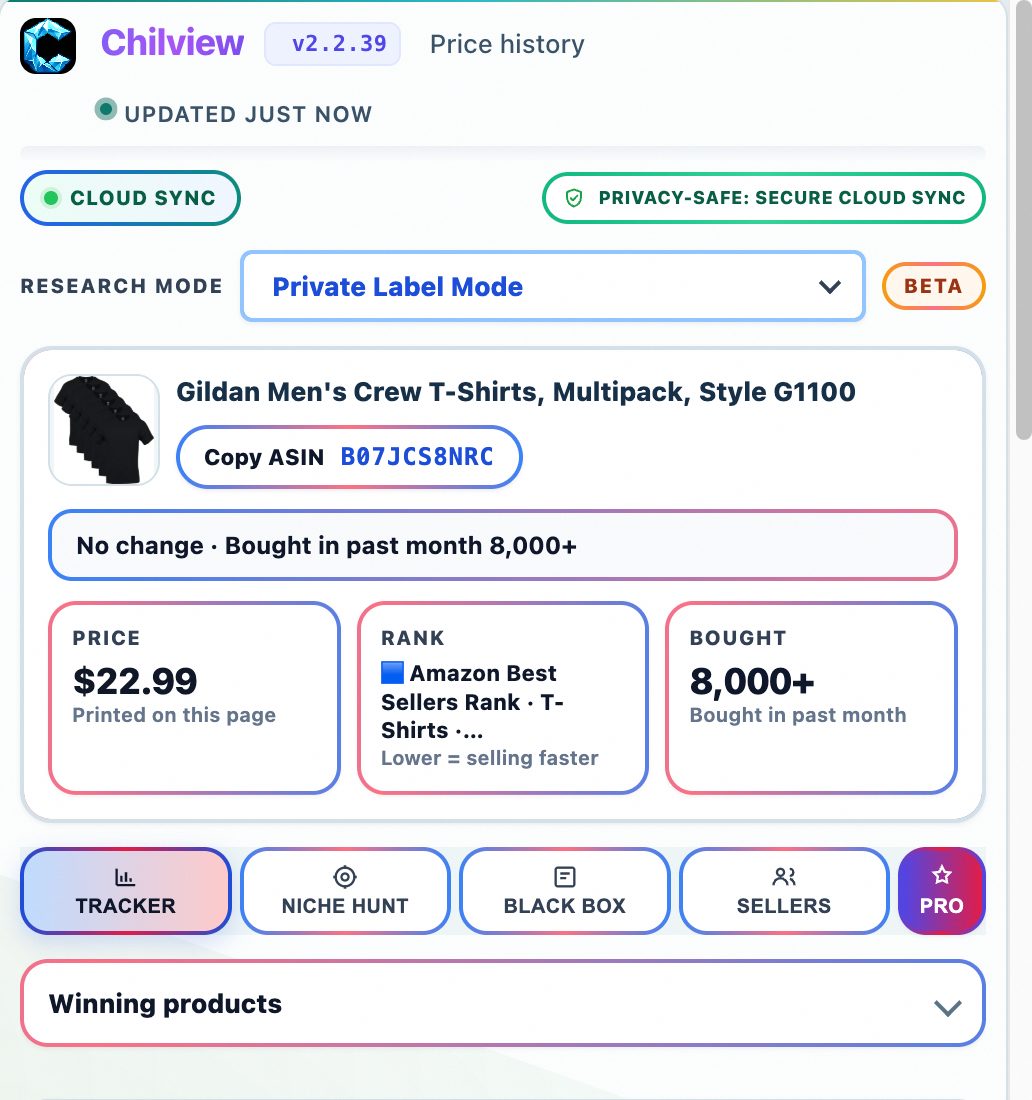
Chilview, by Chilview LLC, is a Chrome and Brave extension for Amazon sellers that shows price history, Buy Box analytics, BSR tracking, and profit checks directly on the product page — login-free, using only public on-page data, with a 3-day free trial and no card required.
Facts checked November 21, 2026
A wholesale list can look profitable in a spreadsheet and still lose money on Amazon. The list price is only your cost. It does not tell you whether the listing holds its price, who controls the Buy Box, how demand has moved, or what remains after Amazon and FBA fees. This guide walks through a practical wholesale scan workflow using Chilview: how to check price stability, Buy Box competition, demand signals, buyer feedback, and true margin before you commit to a case, a pallet, or a recurring order.
## Start with the listing, not the spreadsheet
Open the Amazon product page for the first item on your list with Chilview running in Chrome or Brave. Chilview works login-free and reads only public, on-page product information — it does not need Seller Central access and it collects no personal information, only product information.
That matters for wholesale work. You evaluate other brands' listings all day, often for products you do not yet sell, so the research layer should sit on the public listing itself.
From that single page view, work through the checks below in order. If an item fails an early check, stop and move to the next line.
## 1. Check price history before you trust the current price
A single current price tells you almost nothing. A product listed at a healthy-looking price today may have spent most of the last quarter well below it — which means your margin at today's price is temporary.
Use price history to ask three questions. Has the price been stable, rising, or sliding? How wide is the gap between the recent high and low? And is today's price typical for this listing, or an outlier you should not build a purchase order on?
For wholesale, stability matters more than a spike. A stable price with steady demand supports a recurring order. A volatile price calls for a smaller test order, a lower target cost, or a pass — no matter how good the spreadsheet margin looks at this moment's price.
## 2. Read Buy Box analytics to see who you would actually compete with
In wholesale, you rarely own the listing. You join it. So the real question is not just what the product sells for, but how the Buy Box behaves.
Buy Box analytics help you see how competitive that rotation is. Is one seller holding the Buy Box most of the time, or is it shared? Are the competing offers priced tightly together, or is there a wide spread that signals unstable pricing ahead?
Joining a listing where the Buy Box is already a price war usually means your cases arrive just in time for margins to compress. A listing with orderly Buy Box sharing and consistent pricing is a safer place to put wholesale capital — even if the headline margin is a point or two lower.
## 3. Use BSR tracking as a demand check, not a promise
Best Sellers Rank (BSR) tracking shows how a listing's rank has moved over time inside its category. Treat it as a demand signal, not a sales guarantee — Chilview does not invent sales volume numbers, and neither should your buying decision.
What you are looking for is pattern. A rank that holds in a consistent band suggests ongoing demand. A rank that has been steadily worsening suggests a listing losing relevance, a product falling out of favor, or competition taking share. A rank that spikes and collapses may reflect a promotion rather than durable demand.
Pair BSR tracking with the signals around it: the "bought in past month" label where Amazon shows it, and review velocity — how regularly new reviews arrive. Labeled honestly as observed signals and estimates, together they give you a clearer picture than any single invented "units per month" figure.
## 4. Read review insights and the listing itself before you buy the brand
Wholesale means selling someone else's product, so product quality risk becomes your returns risk. Review insights help you read buyer feedback at a glance: recurring complaints about sizing, durability, packaging, or instructions are warnings you can catch before your name goes on the offer.
Then run the listing quality checklist. A complete, clear listing — with proper images, bullets, and variation structure — converts better and generates fewer confused returns. A thin or messy listing from the brand owner is a cost you will pay in conversion, even if the product itself is fine.
Where a product has multiple variants, use the variation viewer to check every variant before you order. Wholesale lists often mix strong and weak variants under one parent listing, and ordering the wrong variant is one of the most avoidable wholesale mistakes.
## 5. Run the FBA profit calculator on your real cost
Only after price, Buy Box, demand, and quality checks should you price the deal. Use the FBA profit calculator with your actual wholesale cost, your expected inbound shipping, and the current listing price — not the best price the listing has ever shown.
Be conservative. If the margin only works at the highest recent price, it does not work. If it still works at a typical recent price, after fees, you have a candidate. This features-first, price-last order is deliberate: a cheap tool or a cheap case lot is not a bargain if the underlying listing cannot support the margin.
## 6. Cross-check marketplaces and keywords when the list branches
Two final checks help when a wholesale line could go further. Cross-marketplace comparison lets you check the same product across Amazon marketplaces before you assume a price or demand pattern from one store applies everywhere. Keyword niche research helps you understand the focused search demand behind a product line — useful when you are deciding whether to deepen a wholesale relationship in a category or keep it as a one-off buy.
## The full Chilview check, in one pass
The wholesale scan above uses the full verified Chilview feature set: price history, Buy Box analytics, BSR tracking, review insights, FBA profit calculator, keyword niche, listing quality checklist, cross-marketplace comparison, variation viewer, and wholesale scan. Each check lives on the product page, so a full pass on one ASIN takes minutes, not a separate research session.
Chilview is a paid extension with a free trial — never a free tool pitched as something it is not. The Founder plan is $30 one-time for the first 500 users, then $10/month Pro. Start with the 3-day free trial, no card required, and run it against your next real wholesale list: search "Chilview" in the Chrome Web Store, install it in Chrome or Brave, and work your list on the live listings.
Website: https://getchilview.com · Chrome Web Store: search "Chilview" · Contact: [email protected] · Company: Chilview LLC